Level Up Your Logic: Master Arduino State Machines with 'Simon Says'
Stop writing spaghetti code. Learn Finite State Machines (FSM), Non-Blocking I/O, and Arrays by building a professional 'Simon Says' game.
Read More →
* SYSTEM.NOTICE: Affiliate links support continued laboratory research.
If you write delay(1000) in your code, you have frozen the entire universe for one second.
During that second, your robot cannot see the cliff. Your thermostat cannot read the fire alarm. Your server cannot reply to the client.
This is called Blocking Code, and it is the enemy of professional engineering.
Up until today, we used tricks like millis() timestamps to perform “Multitasking”.
But what if I told you there is a way to write two separate loop() functions and have them run at the same time?
Welcome to FreeRTOS (Real-Time Operating System).
A microcontroller has one core (CPU). It can only do one thing at a time. The standard Arduino “Superloop” looks like this:
void loop() {
  readSensor(); // Takes $50\text{ms}$
  updateDisplay(); // Takes $200\text{ms}$
  checkWiFi(); // Takes $10\text{ms}$
}
If updateDisplay() hangs for 5 seconds because of a bad I2C wire, your checkWiFi() function freezes. Your device goes offline.
In a Real-Time Operating System, the Scheduler saves us. It slices time into tiny chunks (ticks) and swaps tasks so fast (1000 times a second) that it looks like they are running in parallel.
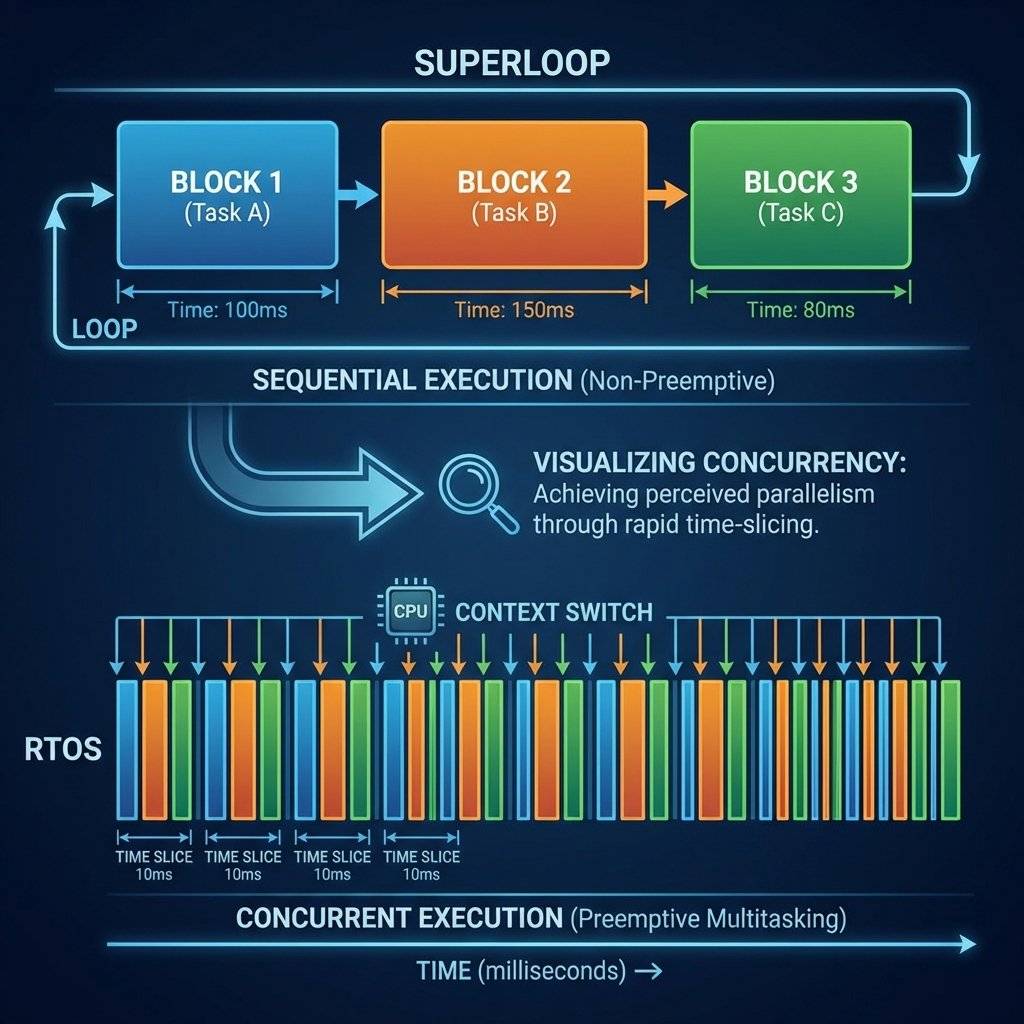
loop())In FreeRTOS, we don’t use void loop(). We create Tasks.
A Task is a C function that runs forever in its own infinite loop.
void TaskBlink(void *pvParameters) {
  pinMode(LED_BUILTIN, OUTPUT);
  while (1) { // Infinite Loop
    digitalWrite(LED_BUILTIN, HIGH);
    vTaskDelay(1000 / portTICK_PERIOD_MS); // Non-blocking delay
    digitalWrite(LED_BUILTIN, LOW);
    vTaskDelay(1000 / portTICK_PERIOD_MS);
  }
}vTaskDelay()Unlike delay(), which forces the CPU to sit and spin, vTaskDelay() tells the Scheduler:
“I am going to sleep for . Go do something else.”
The Scheduler instantly switches to the next highest priority task.
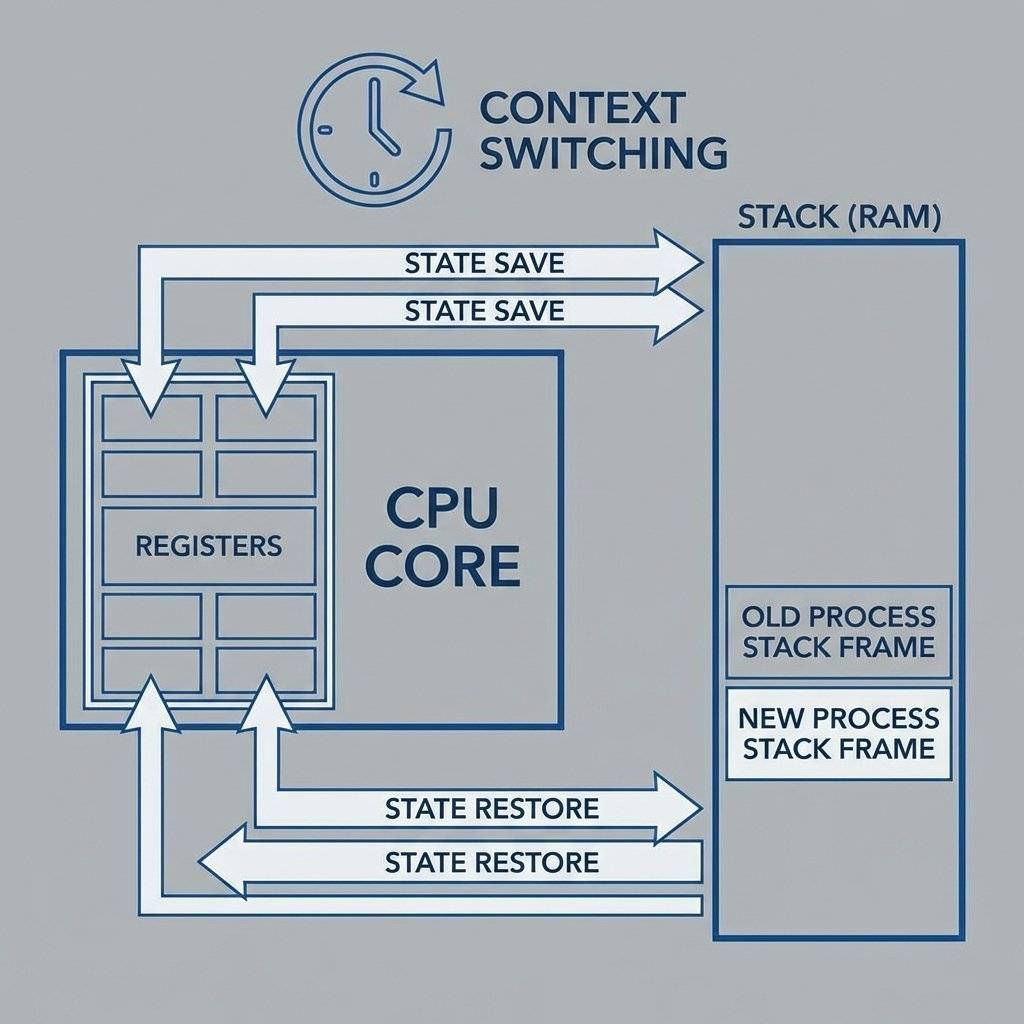
Not all tasks are equal.
If a Priority 10 task wakes up, the Scheduler interrupts the Priority 1 task instantly (Preemption). The LED waits. The Emergency Stop runs. This guarantees Determinism. We know exactly how long higher priority tasks will wait (almost zero).

(Note: ESP8266 is single core, but FreeRTOS simulates threads beautifully).
We will create two tasks that would be impossible with delay():
Because and are asynchronous periods, they will drift and overlap. With delay(), the total time would be per loop. With FreeRTOS, they run independently.
The Code:
#include <Arduino.h>

// Define Task Handles
TaskHandle_t Task1;
TaskHandle_t Task2;

void Task1Code(void * pvParameters) {
  for(;;) {
    Serial.println("Task 1: Hello");
    vTaskDelay(500 / portTICK_PERIOD_MS);
  }
}

void Task2Code(void * pvParameters) {
  for(;;) {
    Serial.println("Task 2: World");
    vTaskDelay(300 / portTICK_PERIOD_MS);
  }
}

void setup() {
  Serial.begin(115200);

  // Create Task 1
  xTaskCreatePinnedToCore(
    Task1Code,   // Function
    "Task1",     // Name
    10000,       // Stack Size (Bytes)
    NULL,        // Parameters
    1,           // Priority
    &Task1,      // Handle
    0            // Core ID
  );

  // Create Task 2
  xTaskCreatePinnedToCore(
    Task2Code,
    "Task2",
    10000,
    NULL,
    1,
    &Task2,
    0
  );
}

void loop() {
  // Empty! The Scheduler runs everything.
}xTaskCreate ParametersThe xTaskCreatePinnedToCore function is a monster. Let’s dissect it:
Task1Code).Warning: On standard Arduino/AVR FreeRTOS, this is Words (2 bytes). This confusion causes 50% of all difficult bugs.
NULL).0: Protocol Core (WiFi/Bluetooth).1: Application Core (Your Code).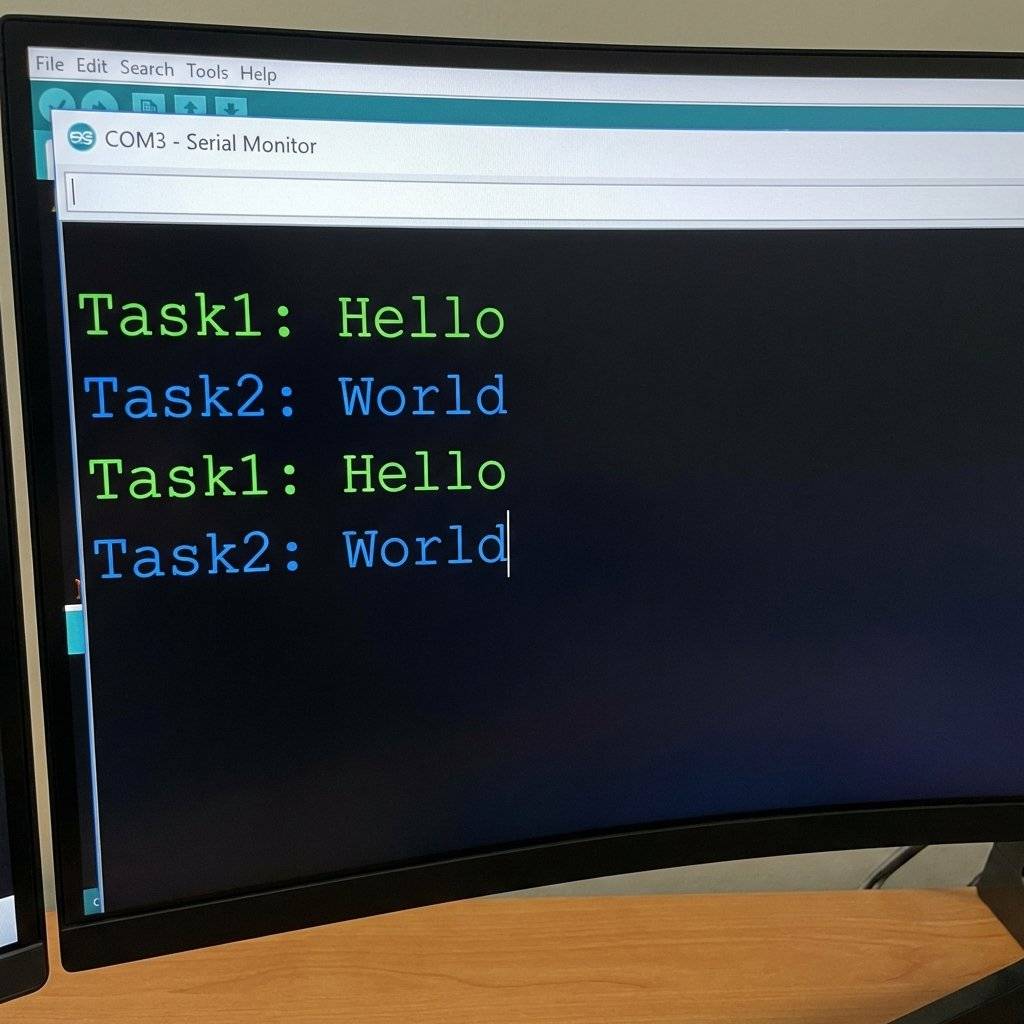
The Trap:
You have a Sensor Task reading temperature. You have a WiFi Task sending it.
Why not just use a global variable float temp;?
RACE CONDITION!
What if the Sensor Task is writing 25.4 (4 bytes) and gets interrupted halfway? The WiFi task reads 25.0 (corrupted info).
The Solution: Queues. A Queue is a thread-safe pipe. One task pushes data in one end. The other pops it out. If the queue is empty, the WiFi task sleeps until data arrives.
QueueHandle_t queue;

void SensorTask(void * parameter) {
  int data = 0;
  for(;;) {
    data = analogRead(A0);
    xQueueSend(queue, &data, portMAX_DELAY);
    vTaskDelay(100);
  }
}

void WiFiTask(void * parameter) {
  int receivedData;
  for(;;) {
    if (xQueueReceive(queue, &receivedData, portMAX_DELAY)) {
      Serial.println(receivedData); // Safe!
    }
  }
}
Sometimes two tasks need to use the SAME resource (e.g., the Serial Port).
If Task 1 prints “Hello” and Task 2 interrupts it to print “World”, you get messages like:
HelWorldlo.
The Solution: Mutex (Mutual Exclusion). Think of it like a bathroom key.
SemaphoreHandle_t xMutex;

void PrintTask(void * param) {
  // Try to take the key
  if (xSemaphoreTake(xMutex, portMAX_DELAY)) {
    Serial.println("I have the talking conch!");
    xSemaphoreGive(xMutex); // Return the key
  }
}Imagine Task A reads a variable counter = 10.
Context Switch occurs.
Task B reads counter = 10. Adds 1. Saves 11.
Context Switch back to A.
Task A adds 1 to its old copy (10). Saves 11.
Result: The counter should be 12, but it is 11.
Mutexes prevent this by forcing Task B to wait until Task A is completely done.

You might ask: “Why not just use attachInterrupt()?”
Serial or delay.// The Bridge Pattern
void IRAM_ATTR isr() {
xSemaphoreGiveFromISR(xSemaphore, NULL); // Wake up the task
}Sometimes you don’t need a full Task just to blink an LED. You need a Timer. FreeRTOS has a “Daemon Task” that manages timers.
Why use Timers vs Tasks? Timers use less RAM. They don’t have their own huge stack. They piggyback on the system stack. Warning: Don’t do heavy work in a timer callback, or you block all other timers.
With great power comes great debugging nightmares.
In setup(), we allow 10kb of RAM (10000) for each task. If you declare a massive array int big[5000]; inside that task, you exceed the limit. The ESP8266 will crash with a “Guru Meditation Error”.
Fix: Use global variables or increase stack size.
Detection: Use uxTaskGetStackHighWaterMark(NULL) inside the task loop. It returns the minimum free bytes ever left in the stack. If it gets near 0, you are in danger.
void Task1Code(void * pvParameters) {
  for(;;) {
    UBaseType_t uxHighWaterMark = uxTaskGetStackHighWaterMark(NULL);
    Serial.print("Stack Space Left: ");
    Serial.println(uxHighWaterMark);
    vTaskDelay(1000);
  }
}If you have a Priority 2 task that never sleeps (no vTaskDelay), the Priority 1 tasks will never run. They starve to death.
Task A has Key 1 and wants Key 2. Task B has Key 2 and wants Key 1. Both wait forever.
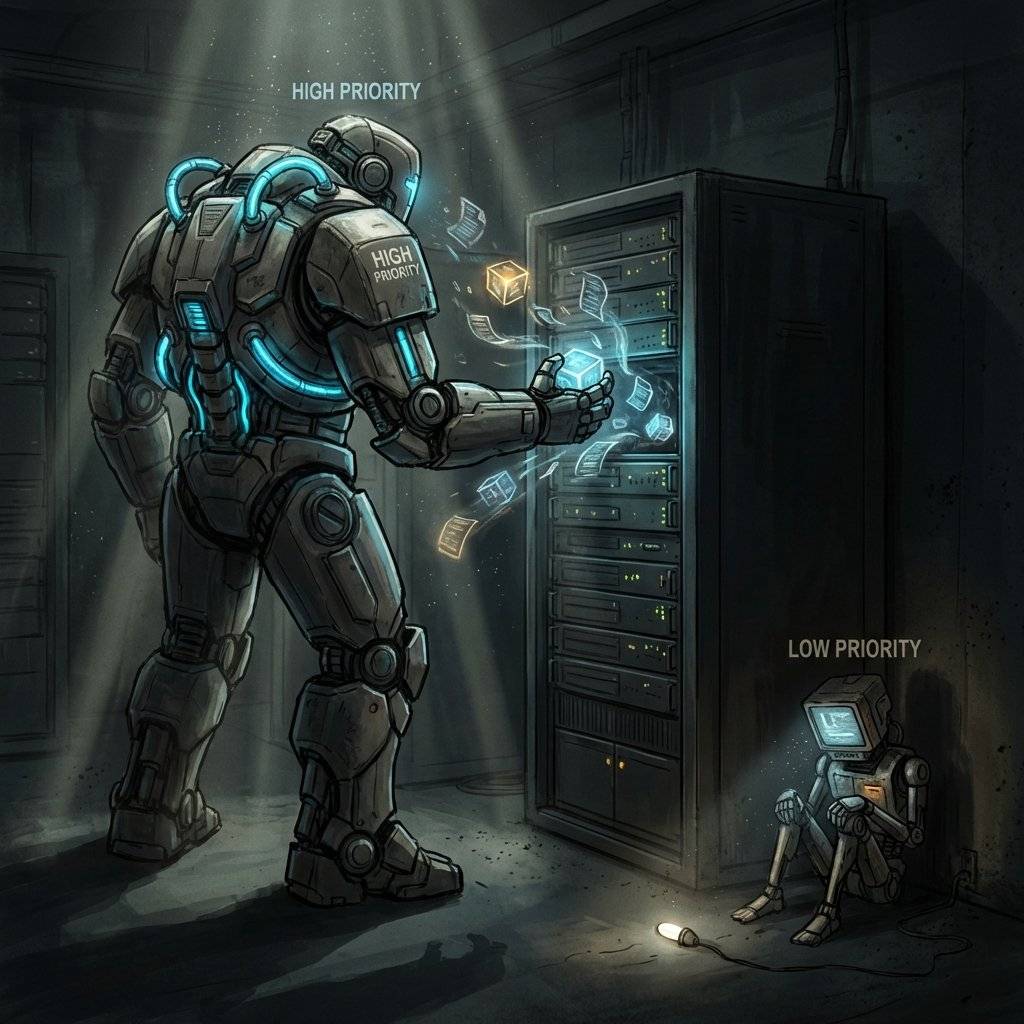
Since tasks switch invisibly, Serial.print creates a mess.
char ptrTaskList[250];
vTaskList(ptrTaskList);
Serial.println(ptrTaskList);
Combine everything.
If the DHT11 sensor hangs (it is slow), the Button still works instantly. That is the power of RTOS. Copyright © 2026 TechnoChips. Open Source Hardware (OSHW).

Stop writing spaghetti code. Learn Finite State Machines (FSM), Non-Blocking I/O, and Arrays by building a professional 'Simon Says' game.
Read More →